










About this game
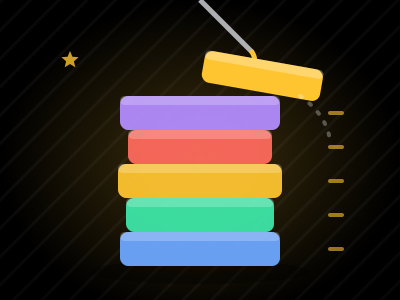
Tower Stack is a free one-tap stacking game: a block slides back and forth overhead, tap to drop it. Land it clean for a perfect stack and combo bonus; miss the edge and the overhang crumbles away. The tower grows, the speed climbs, and one total miss ends the run. No account required and no ads interrupt your game.
- Controls
- Space or Enter drops the block. · Touch
- Supported devices
- Desktop, phone, tablet
- Developer
- Plyarc
- Genre
- Arcade
- Latest update
- September 2026
- Rating
How to play
- 1
Watch the block sliding left and right at the top.
- 2
Tap, click, or press SPACE to drop it.
- 3
Overhang gets trimmed off, stack on what remains.
- 4
Perfect drops (tiny offset) build a combo bonus.
- 5
A block that misses the tower completely ends the game.
Controls
Space or Enter drops the block.
tap to drop the block.
Tips & tricks
Drop slightly early on fast levels, input has a hair of delay.
Protect your combo: a safe imperfect drop beats a risky perfect one.
Center the tower mentally; drift compounds over 20+ blocks.
FAQ
How do you play Tower Stack?
A block oscillates above your tower; tap to drop it. Any overhang is sliced off and the next block must land on what remains. Near-perfect drops keep the full width and build combo bonuses. The run ends when a block misses entirely.
Is Tower Stack free on Plyarc?
Yes, Tower Stack is completely free with no downloads, no account, and no ads during gameplay. Best heights save on your device.
Can I play Tower Stack unblocked at school?
Yes. Tower Stack runs entirely in the browser with nothing to install, so it works on school Chromebooks and restricted classroom networks.