





About Mine Finder
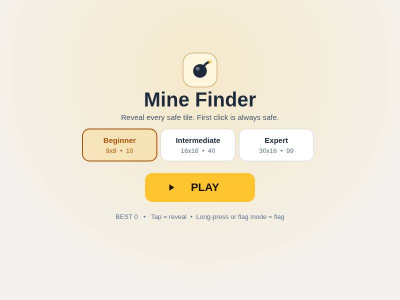
Flag every hidden mine without setting one off. Three difficulty levels.
About this game
Mine Finder is Plyarc's free take on the classic Minesweeper formula across Beginner, Intermediate, and Expert boards. Flag every hidden mine using number logic, your first click is always safe. Win by revealing all safe cells before the timer runs out. No account required and no ads interrupt your game.
- Controls
- Click to reveal a cell, right-click to flag, F toggles flag mode. · Touch
- Supported devices
- Desktop, phone, tablet
- Developer
- Plyarc
- Genre
- Puzzle
- Latest update
- September 2026
- Rating
How to play
- 1
Pick Beginner (9x9), Intermediate (16x16), or Expert (30x16).
- 2
Click a cell to reveal it, numbers show adjacent mines.
- 3
Right-click, long-press, or toggle flag mode to plant flags.
- 4
Reveal every safe cell to win. Hit a mine and the run ends.
- 5
Your first click of every game is guaranteed mine-free.
Controls
click to reveal a cell, right-click to flag, F toggles flag mode.
tap to reveal, long-press to flag.
Tips & tricks
Start in corners, they reveal the most information.
A 1 touching a single hidden cell means that cell is a mine.
Flag aggressively; a wrong flag only costs time, not the game.
FAQ
How do you play Mine Finder?
Reveal cells to uncover numbers showing how many mines touch each cell. Use logic to flag every mine, and reveal all safe cells to win. Clicking a mine ends the run. Your first click is always safe, and three board sizes set the difficulty.
Is Mine Finder free on Plyarc?
Yes, Mine Finder is completely free with no downloads, no account, and no ads during gameplay. Best times save on your device.
Can I play Mine Finder unblocked at school?
Yes. Mine Finder runs fully in the browser with nothing to install, so it works on school Chromebooks and restricted classroom networks.